More dashboards can leave the same question unanswered.
A team can now ask GenAI to produce another dashboard in minutes. The boss still has to ask: so what? What does this number mean, and which decision should change? More views can leave that work unresolved.
The skill starts with the decision and standardises what each KPI means, including its calculation and the evidence it needs. It then arranges the information so a manager can understand the finding, inspect its basis and act on it.
Make the information usable at the point of decision.
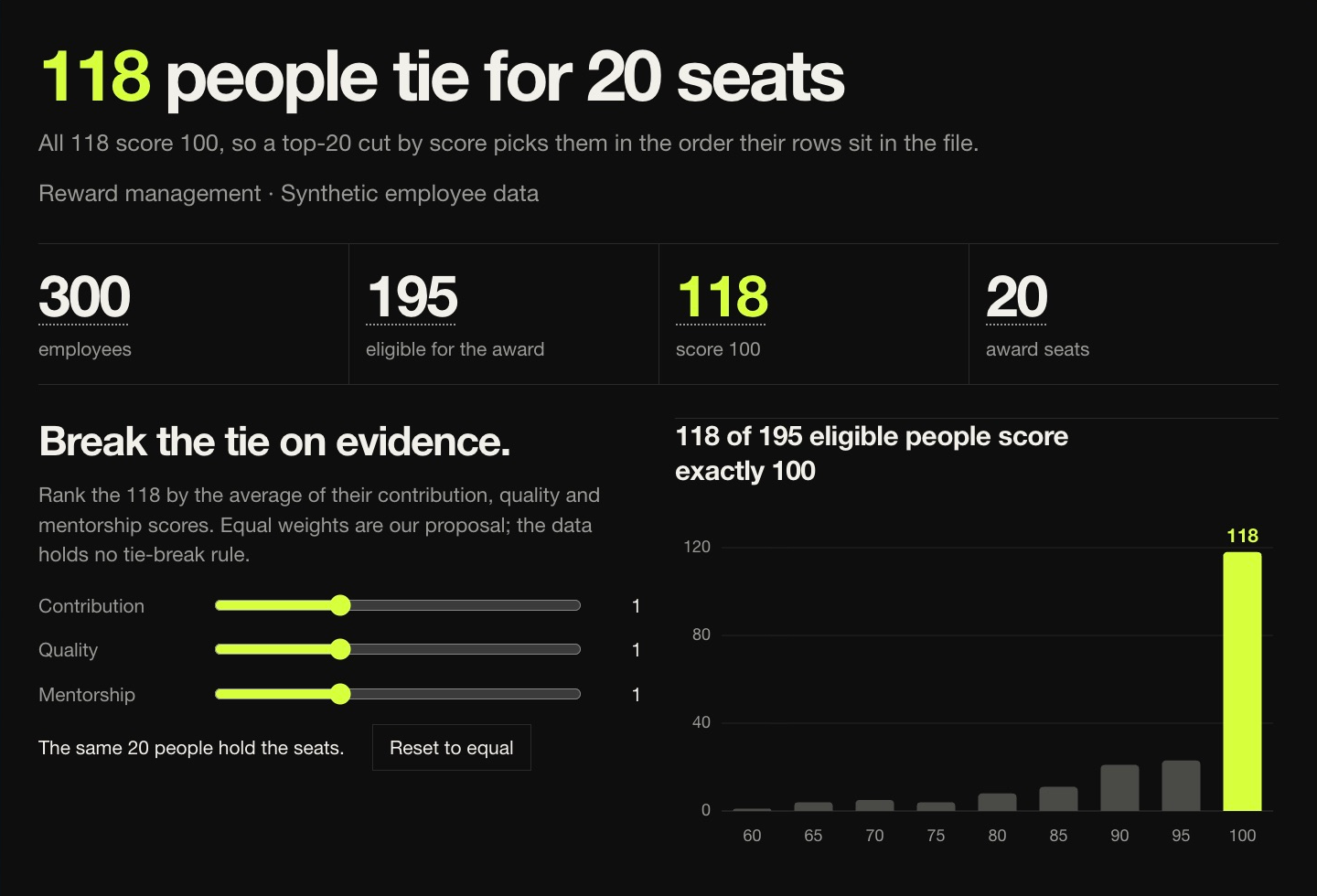
The working example asks how to allocate 20 award places when 118 eligible people share the highest score. A headline total cannot choose between them. The view separates the decision from the evidence used to break the tie.
The skill generated the dashboard’s visual structure and interactions around that question. The first screen makes the tie visible. Changing the evidence weights recalculates the shortlist; department filters and individual records let the reader examine the result. This example uses synthetic employee data.
Let the reader test the recommendation.
A polished view can make a weak recommendation feel settled. The dashboard keeps the evidence and the choices behind the shortlist available to inspect, including the difference between taking rows in file order and ranking them by a stated rule.
Open the working page, change a weight and look at who moves into the 20 places. Search the records or select a department to understand the change. The same method begins with the manager’s decision when applied to another business question.
These questions also arise in executive programmes.
Explore GenAI Strategy